voice dictation for linux & macos, because typing is overrated
superwhisper for the rest of us. press a hotkey, speak naturally, watch your words appear in any application. powered by whisper ai, runs 100% on your machine.
speak → process → type
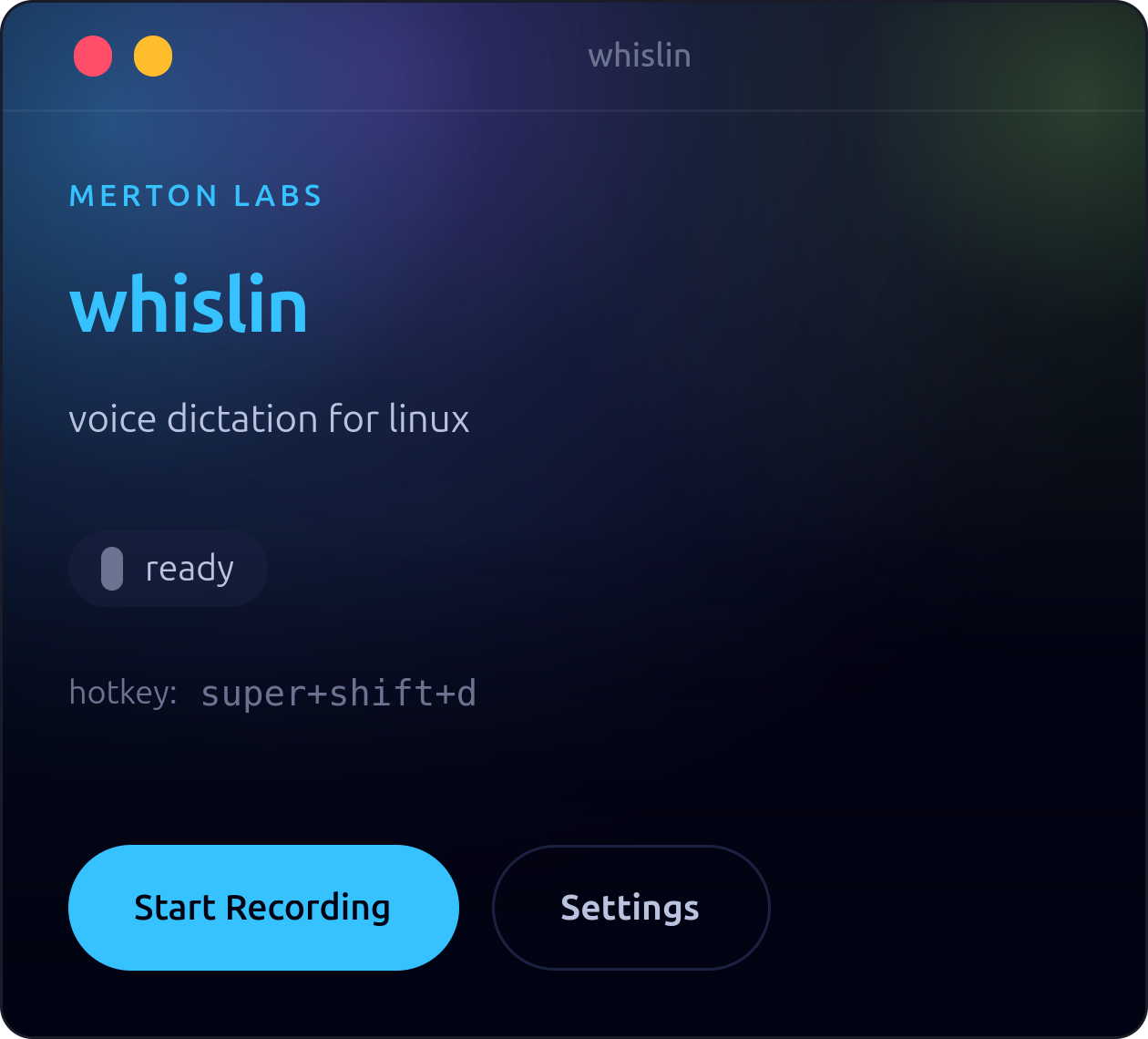
clean and minimal
start recording with one click or hit your hotkey. the interface stays out of your way until you need it.
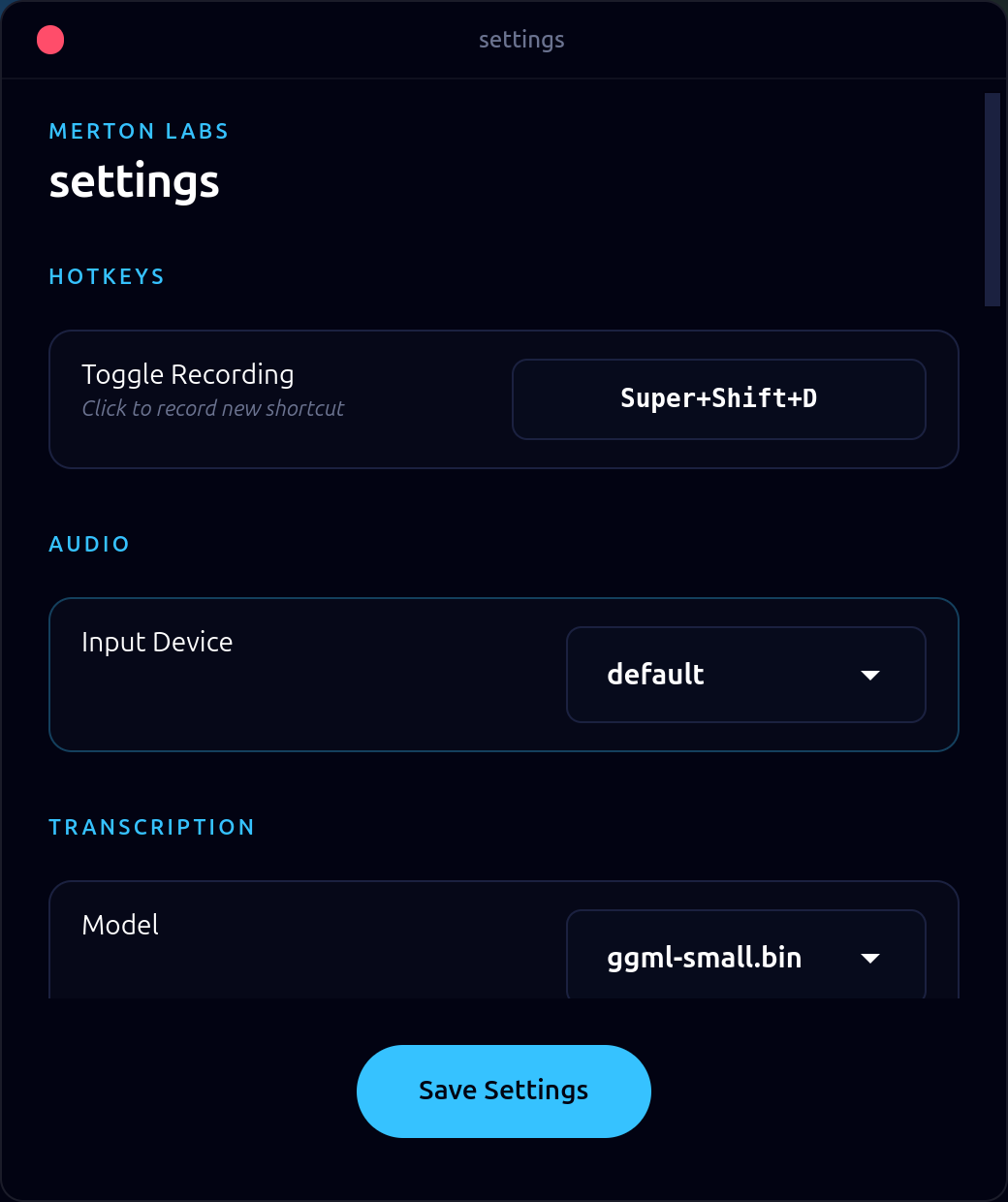
configure everything
choose your hotkey, select your mic, pick a whisper model. set it up once, forget about it.
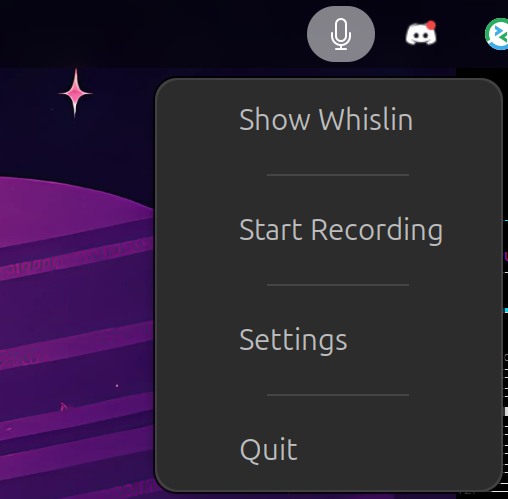
always accessible
lives in your system tray for quick access. start recording, open settings, or quit – all from the tray menu.
everything you need, nothing you don't
100% local
all transcription happens on your machine. no cloud, no api calls, no data leaves your computer. ever.
output routing
route voice commands to scripts, webhooks, files, or clipboard. say 'note buy milk' and it appends to your notes.
works everywhere
macos, linux x11 & wayland. gnome, kde, sway, hyprland – native support across platforms.
smart aliases
say 'btw' and get 'by the way'. say 'press enter' and it presses enter. text expansion meets voice control.
99+ languages
whisper supports basically every language. switch models based on what you need.
native performance
built with rust and gtk4. fast startup, low memory, no electron bloat.
voice commands that actually do things
other tools just type. whislin routes your voice to scripts, files, webhooks, or clipboard based on trigger words. automate anything.
pick your poison
whisper comes in different sizes. smaller = faster but less accurate. start with base.en and upgrade if you need more precision.
| Model | Size | Speed | Accuracy |
|---|---|---|---|
tiny.en | 75 MB | fastest | good |
base.enrecommended | 142 MB | fast | better |
small.en | 466 MB | medium | great |
medium.en | 1.5 GB | slow | best |
get started in 60 seconds
macos
apple silicon, macos 11+
curl -sSL https://download.merton.cz/whislin/install.sh | bashlinux quick install
auto-detects your distro and installs the right package
curl -sSL https://download.merton.cz/whislin/install.sh | bashlinux manual install:
debian / ubuntu
download the .deb package
wget https://download.merton.cz/whislin/latest/whislin_latest_amd64.deb
sudo dpkg -i whislin_latest_amd64.deb
appimage
universal, runs anywhere
wget https://download.merton.cz/whislin/latest/Whislin-latest-x86_64.AppImage
chmod +x Whislin-latest-x86_64.AppImage
wayland users: for the best experience, add yourself to the input group: sudo usermod -aG input $USER then log out and back in. this lets whislin type directly without external tools.
on first run, whislin downloads the base whisper model (~142 MB). then you're good to go.
stop typing, start talking
whislin is free and built for people who value their privacy. all transcription stays on your machine. give it a try.